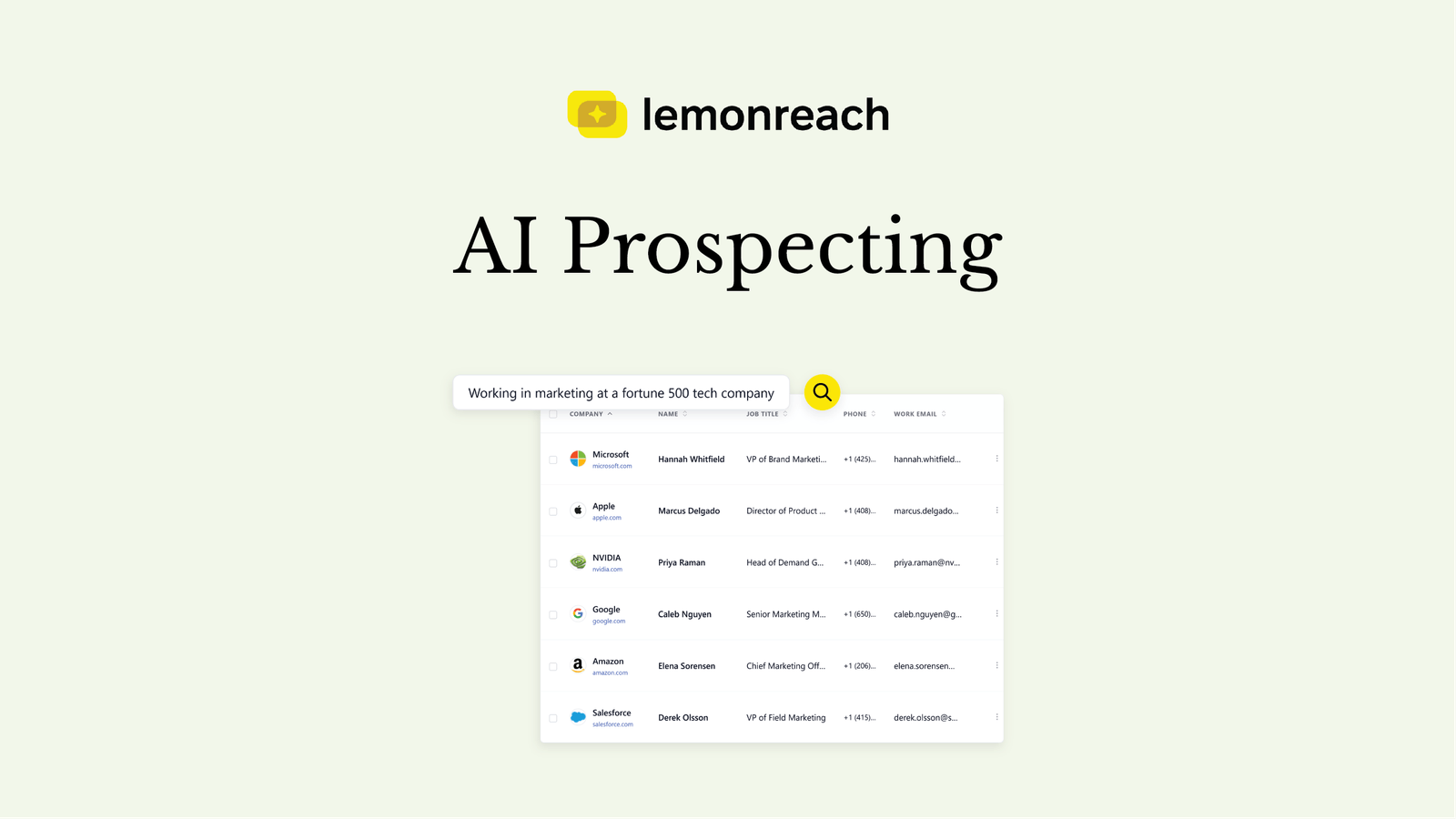
AI prospecting means you describe your ideal customer in plain language and an AI returns matched companies and people, with verified contact details, instead of you building filters by hand and cleaning exports. Done well, it replaces hours of list building with a short brief, and it lets you target far more narrowly than a job title and an industry code allow.
This guide explains how AI prospecting works, what you can realistically filter on, how contact details are found and verified, how to go from a list to a campaign without losing time, and how to prospect straight from ChatGPT or Claude through MCP. Where lemonreach is the example, it is flagged as such, and there is a section on when a different approach fits better.
What is AI prospecting?
Prospecting is finding the companies and people worth contacting. The traditional method is a B2B database: you pick filters from dropdowns (title, industry, headcount, country), export a list and import it somewhere else. AI prospecting changes the input and the depth.
- The input is a brief, not a filter form. You write what you would tell a colleague: “Heads of growth at SaaS companies with a book-a-demo button that raised funding this year.”
- The filters go deeper. The AI can match on things that sit outside standard firmographics, like the tools a company runs or whether it is hiring in a specific team.
- Scoring replaces yes or no. Results are ranked against your brief, so the best fits come first.
It does not remove judgment. You still decide who your buyer is, and a vague brief produces a vague list.
How do you find prospects with AI?
A reliable process has five steps.
- Write a specific brief. Include role, industry, company size, region and one or two signals. “Marketing leaders at Swedish e-commerce companies with 50 to 200 employees that use Klaviyo” beats “marketing people in Sweden”.
- Review the matches. Scan the first 25 or 50 results. If half are wrong, change the brief, not the list.
- Save the fits. Keep the companies and contacts that match and drop the rest, so you only pay to enrich people you would actually contact.
- Enrich the contacts you want. Get a verified work email, and a direct phone number if you will call.
- Move them into a campaign. The shorter the distance between the list and the first email, the better the result.
Start with a small batch of 25 to 50 prospects. It is cheaper to refine a brief on 25 results than on 250.
How do you find contact details with AI?
A chat assistant on its own does not know anyone’s work email. If you ask a general-purpose model for a contact address, it can produce something plausible-looking that does not exist, and sending to guessed addresses bounces and damages your sender reputation.
Reliable contact details come from enrichment: a lookup against a data source, followed by validation. What to look for:
- A real data source, not a guess. The address should come from a lookup, not from pattern-matching a name onto a domain.
- Multi-layer validation. Checking syntax, domain and mailbox status in sequence catches different failures. lemonreach uses a single data provider with multi-layer validation and reports 98 percent accuracy on verified work emails.
- Pay per verified contact, not per row. A list of 10,000 unverified rows is worth less than 500 verified ones.
- Direct phone numbers if you call. A direct line gets you to the person instead of a switchboard.
In lemonreach, a verified work email costs 2 credits and a direct phone number costs 4.
What can you filter on when prospecting?
Most databases stop at job title, industry and headcount. Those are necessary, but they describe thousands of nearly identical companies. Signals are what separate the ones worth contacting this month from the rest.
| Filter type | Example | Why it helps |
|---|---|---|
| Web technology | Runs HubSpot, Stripe or a specific analytics tool | Targets companies where your product fits or replaces something |
| Product and offering | Free trial, book-a-demo flow, mobile app | Tells you how they sell, which shapes your pitch |
| Growth and funding | Raised this year, headcount growth | Companies with new budget and hiring pressure |
| Hiring | Hiring in sales, support or engineering | Shows where they are investing right now |
| Buyer intent | Researching a topic in your space | Reaches companies that are already looking |
| Compliance | Regulatory posture | Reaches teams that the rules actually apply to |
| Content and marketing | How active they are in content and SEO | Finds companies that care about the channel you serve |
The point of filtering this deep is not a prettier list. It is that every filter you add gives you something specific to say. A message to “SaaS companies” is generic. A message to “SaaS companies that just raised and are hiring their first SDRs” writes itself.
Why does targeted prospecting make outreach more effective?
Cold outreach works when the reader sees why you wrote to them. Broad lists make that impossible, because you cannot say anything specific to 5,000 loosely related contacts. Narrow lists make it easy.
- One segment, one angle. A list of 80 companies that share a trigger lets you write one strong message for that trigger, instead of an average message for everyone.
- Fewer wasted sends. Sending fewer emails to better-fit people protects your domain and keeps reply rates up.
- Easier personalization. Personalization at scale starts with a specific reason for each segment, which lemonreach then layers with recent news and LinkedIn activity per contact. See personalized outreach without manual research.
- Clearer feedback. When a campaign targets one segment, a poor result tells you something. When it targets everyone, it tells you nothing.
Quality of target beats quantity of sends. A hundred well-chosen contacts usually outperform a thousand broad ones.
How do you go from prospect list to campaign?
This is where most workflows lose time. With separate tools, the path looks like this: export a CSV from the database, clean it, import it into a sending tool, map the fields, then work out how to personalize. Each step is a place for errors and stale data.
When prospecting and sequencing live in the same product, the path is shorter: save the matched prospects, enrich them, and add them to a campaign. The AI then writes persona- and vertical-specific copy for each person, in their own language, using the research already attached to them. See what is an AI SDR for how the pieces fit.
The practical gains are less copy-paste, no field mapping, and the same segment definition carrying through from search to message. If you prefer to keep your current tools, you can still import your own list from CSV, HubSpot or Salesforce.
Can you prospect from ChatGPT or Claude with MCP?
Yes. MCP (Model Context Protocol) is an open standard that lets an AI assistant use external tools. When a prospecting platform exposes an MCP server, your assistant can search, read and act on your data from inside the chat.
With lemonreach connected, you can ask things like:
- “Find 50 heads of operations at Nordic logistics companies and save them as a list.”
- “Which of my prospect lists have not been enriched yet?”
- “What would it cost to find emails for the contacts in my last list?”
Some boundaries are deliberate:
- Enrichment needs your approval. The assistant quotes the credit cost and your balance first, and only runs it after you agree in the conversation.
- Campaign creation stays in the app. Search, review and enrichment happen in chat, and you build and launch the campaign in lemonreach.
- It is a plan feature. MCP access is included on Growth and Scale.
The benefit is speed for the exploratory part of prospecting. You can refine a brief by talking, compare segments and decide what to enrich without switching tabs. For a deeper comparison of building outbound in a chat assistant versus a dedicated tool, see build outbound in ChatGPT or Claude vs lemonreach.
What does AI prospecting cost?
Pricing models differ, so compare on cost per verified contact rather than on subscription price.
| Approach | Typical cost shape | Watch out for |
|---|---|---|
| Manual (LinkedIn, company registers, Google) | Your time, often 5 to 10 minutes per contact | Does not scale, contact details still need finding |
| Traditional B2B database | Monthly seat plus export credits | Unverified rows, separate tool for sending |
| AI prospecting inside an outreach platform | Credits per verified email or phone number | Check what is included and what is billed per contact |
In lemonreach, AI Prospecting is an add-on at €79 per month (about €63 on yearly billing) with 1,200 credits. At 2 credits per verified email, that is roughly 600 enriched contacts a month. See cold email software pricing for how this fits into a complete monthly budget.
When is a different approach a better fit?
AI prospecting is not the right answer to every problem.
- Very small, known target lists. If you want to reach 30 named accounts, researching them by hand is fine.
- Consumer or local-business markets. B2B signal filters like tech stack and funding matter far less there.
- You only need a raw data export. If your workflow is built around exporting large lists into other systems, a dedicated database may suit you better.
If your goal is to find the right companies and turn them into personalized campaigns with as little hand-off as possible, an integrated tool is the stronger option. Read more on the AI Prospecting feature page and the enrichment page.